The DTR is the day’s takings in one document — every department, every payment type, and every transaction behind the totals.
Generate it
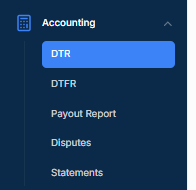
- Go to Accounting → DTR.
The page that opens is called Transactions Report. - Click Pick a Date and choose the day you want.
- Click Generate DTR.
Each row in the list also has download icons at the end, so you can pull a day you have already generated without going through the date picker again. The blue one downloads a PDF; if you see a green one, it downloads an Excel file.
What the list itself shows
Before you generate anything, the table gives you a day per row with the totals side by side — transactions and refunds for each of your departments, then a Grand Total and a Refund Grand Total.
Useful on its own if you only need to compare a few days.
Who can get to it
Who can see Accounting depends on your permissions. If you need the DTR and cannot see Accounting, your dealership’s account administrator can contact DealerWorks Support.
Related: What is on the Daily Transaction Report · Run your Cashier Report · Reports and deposits — start here
Was this article helpful?
That’s Great!
Thank you for your feedback
Sorry! We couldn't be helpful
Thank you for your feedback
Feedback sent
We appreciate your effort and will try to fix the article